Posts

Citrix Future of Work Tour 2019 (London)

Image
I visited etc. Venues in Bishopsgate for Citrix Future of Work Tour 2019 on September 11 2019.  There were three main takeaways Consumer like experiences Analytics Networking Packed house! Consumer like experiences During the keynote, they mentioned how consumer applications like Facebook are very easy to use, data is surfaced to you in the simple way and interactions are straightforward.  Employee tools however, are usually quite cumbersome and difficult to use.  Enter Citrix Intelligent Workspace This product was realised out of the acquisition of Sapho late last year This provides the employee with a feed built up from connections to various SaaS applications.  This feed also allows some basic interactions e.g. booking leave in WorkDay or approving expenses in SAP.  It is built on their cloud offering and includes AI and ML to increase productivity e.g. if you as a manager always approve expenses under £50, it would start to...

Dynamics 365 USD Performance Testing (Part 3)

This is the 3rd part of a series of blog posts which cover a set of Performance Testing scripts I have used to test Dynamics 365 CE with Unified Service Desk with XenApp. This test focuses on the controller script which is used to launch user sessions.   Below is a version of the script I used.  It has some comments which cover what each of the sections do. One of the fundamental issues I had was how to programmtically launch Citrix sessions from PowerShell.  Fortunately LoginVSI comes with an executable called SFConnect.exe.  This is a really simple application which makes it easy to launch Citrix sessions. If you are not lucky enough to have access to SFConnect.exe, then you could use something like this. https://www.czerno.com/Blog/post/2016/08/26/powershell-script-to-launch-one-or-more-published-applications-from-citrix-storefront-2-x-through-3-6 In the next part I will record a video of this in action in my lab and in the final blog I will lo...

Dynamics 365 USD Performance Testing (Part 2)

Image
This blog is a little video which shows the workload in a demo environment.   Below is a sample script from GitHub which you customise to your own needs. To see part 1, click here To see part 3, click here

Dynamics 365 USD Performance Testing (Part 1)

Image
As discussed in my introduction, this set of blog posts is to show what can be done to performance test Unified Service Desk and Dynamics 365 CE. These tests are more designed to identified the client side impact of using USD.  It can be a very CPU intensive program and depending on your configuration on CE, some of the pages can take a while to load and/or use up a lot of client side resource. Below is a screenshot of the hardware requirements for USD Microsoft provide some hardware recommendations, but when running this in a Server Based Computing environment such as Citrix XenApp, it is unlikely you are going to give every user 2 dedicated CPUs without some pooling. The other thing to bear in mind is that USD uses embedded iexplore.exe processes for its frames.  We all know that IE sucks, but specifically with JavaScript and DOM Storage performance, which Dynamics uses a lot of. Microsoft know this and if they could burn IE to the ground I am sure they ...

Dynamics 365 USD Performance Testing (Introduction)

Recently I had to perform some performance testing for a Citrix XenApp environment as part of an upcoming upgrade to our Dynamics 365 Customer Engagement application.  We wanted to ensure that this CE upgrade didn't affect the user density on our Citrix servers. This workload is for our Customer Service Advisors who use Aspect Unified Agent Desktop (UAD) to receive calls integrated into Microsoft Unified Service Desk (USD) to present caller information and a method of completing workflows through Dynamics 365 CE. We would usually complete this task with LoginVSI.  It is a tool we have available to us and have used in the past.  We even have a basic custom workload for the above scenario. We were having a problem with a licence lapsing with the product and also, I wanted a bit more control over the workload and some of it's outputs. So the next best option was creating a set of PowerShell Scripts to complete these tasks. At a high level, I had a single launcher V...

Email report of costly activities in Azure

Image
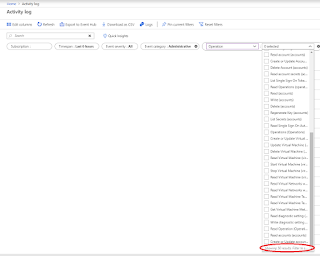
Azure seemingly has endless possibilities and options. Sometimes it is difficult to see the wood through the trees.  The capabilities for techies are mouthwatering but the cost control (or lack thereof) is a constant headache for managers or those who hold the purse strings. It is very easy to accumulate spend if resources are not being managed in the correct way e.g. keeping VMs on when they are not required, having resources set to the incorrect scale or resources being created for testing and never being deleted. There are some quite in depth solutions to cost control in Azure but at an organisation which isn't cloud native, you need to learn to walk before you can run.  Quota management for Enterprise Agreements can help, but this will just report on issues after the problem has occurred. Whilst transitioning support for some Azure Subscriptions to an internal IT team, an IT manager asked me whether there was a way to simple see the resources created, updated or...

Gather SPF Records For Multiple Domain Names

You can use the following script to gather the SPF records for multiple domains.  You just need to populate a TXT file named DomainNames.txt which exists in the same directory.  Below is the PowerShell: $SPFRecords = @ () $Counter = 0 $myDir = Split-Path -Parent $MyInvocation .MyCommand.Path $DomainNames = Get-Content $myDir \DomainNames.txt $SPFOutput = $myDir + "\SPFRecordsResults.csv" ForEach ( $Domain in $DomainNames ) { $Counter ++ Write-Progress -Activity "Querying SPF Records" -Status "Processing $( $ Counter) of $( $ DomainNames.count) " -CurrentOperation $Domain -PercentComplete (( $Counter / $DomainNames .count) * 100) $SPFRecord = Resolve-DNSName -Name $Domain -Type TXT | Where { $_ .Strings -like "*spf1*" } If ( $SPFRecord -ne $NULL ) { ForEach ( $SPF in $SPFRecord ) { $SPFItem = new-object PSObject -Property @ { Domain = $SPF .Name ...